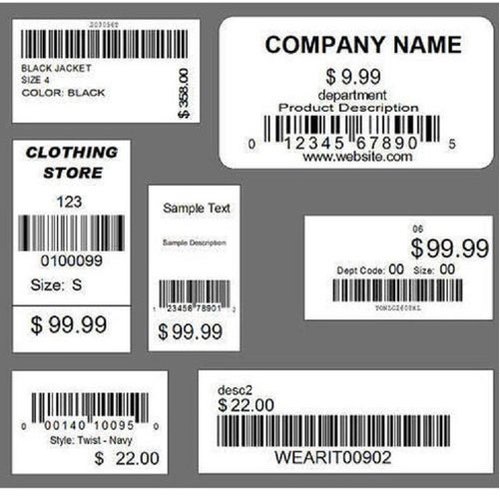
Barcode labels are machine-scannable symbols that represent product codes such as UPCs and SKUs. Barcodes are used to identify and track your inventory and ring product sales. Making and implementing a barcode system will help you access product details, view your stock on hand, and accelerate your checkout process, all with the click of a few buttons.
1. Create Your Product Codes
Product codes refer to the numeric and symbolic sequences that you assign to your merchandise. There are two major types of product codes you should know: Universal Product Codes (UPCs) and internal stock keeping units (SKUs).
2. Make a Barcode for Each Product
Once you have your unique product codes set up, your next step is inputting your codes into a system that translates them into scannable barcodes. With barcode scanners, barcodes will save you from having to type in individual product codes by generating them into scannable images.
3. Print Your Barcode Labels
With your barcodes generated, it’s time to find a suitable means to print your labels to attach to your products. As mentioned previously, portable label makers are a great way to make and print your barcode labels. Here we will look at other options for printing your barcode labels.